Your team records every customer call. Sales logs them in Gong. CS records support conversations. Research runs discovery interviews on Zoom. The recordings exist. The transcripts exist. But when you need evidence for a roadmap decision on Wednesday, you can’t search across any of them.
The insights live in whoever watched the recording. And most recordings never get watched at all.
This is the call data problem: the gap between recording conversations and actually using what customers said to decide what to build.
This guide covers why that gap exists, what a working system looks like, and how to set one up – starting with one call source, not a company-wide overhaul.
The call data problem nobody talks about
Product teams have never had more access to customer conversations. Between Gong, Zoom, Google Meet, Fathom, and Fireflies, most mid-size SaaS companies record hundreds of calls per month. CS alone generates dozens of support conversations per week…
But access to recordings is not the same as access to insights. There’s a difference between “we have the data” and “we can use the data to make a decision.”
The symptoms are easy to spot. A PM prepares for a roadmap discussion and spends 90 minutes re-watching three call recordings to find the moments that matter. A researcher conducts five discovery interviews, and the insights stay in their notebook, and nobody else on the team knows what was learned.
A feature request comes in through a sales call, gets logged in the CRM, and nobody connects it to the same request that came through support two months ago.
The problem isn’t that customer calls lack valuable information.
The problem is that nobody has a system to extract, structure, and search across that information when a decision needs to be made.
3 reasones why most call insights never reach the product team
Three specific breakdowns explain why call data stays locked in the recording instead of reaching the people who make product decisions.
1. Calls are recorded for the caller, not the team
Gong captures calls for the sales rep. Deal intelligence, follow-up tasks, pipeline signals. Zoom saves recordings for the meeting organizer. Google Meet generates AI summaries for the person who scheduled the call.
None of these tools structure the transcript for the PM who needs to know what customers said about onboarding friction, or for the researcher who needs to compare what five different customers said about the same problem. The recordings are captured for individual use, not team-wide insight extraction.
This is a design problem, not a user problem. The tools do exactly what they were built to do. They just weren’t built for product discovery.
2. Transcripts are too long and unstructured
A 45-minute customer call produces a transcript of 6,000 words or more. Nobody reads that. Even a 30-minute discovery interview generates a transcript that takes 15 minutes to skim, and skimming misses the nuance that matters.
AI summaries are improving, but they create completely a different problem: every tool formats summaries differently. Gong’s “key moments” look nothing like Google Meet’s AI notes, which look nothing like Fathom’s topic breakdown. If your team uses two or three call tools (common for companies with separate sales, CS, and research workflows), the summaries are incompatible. You can’t search across them. You can’t compare them. Each call becomes an island.
One product manager we spoke with described watching the same customer interview recording multiple times because the summary didn’t capture what actually mattered.
The insight existed, but it just wasn’t extracted in a usable format.
3. Insights get processed once and forgotten
A customer mentions a pain point on a CS call. The CS rep resolves the immediate issue. The call gets logged. The insight gets processed – once – and filed away.
Six weeks later, a different customer mentions the same pain point on a sales call. The sales rep notes it in the CRM. Nobody connects it to the CS call from six weeks ago.
Three months in, the same pain point has surfaced in four separate calls across three teams. But because each call was processed individually, nobody sees the pattern. The evidence for a product decision exists – it’s just distributed across tools and teams in a way that makes it invisible.
This is what researchers call the “process once” problem: insights enter the system, get handled as individual items, and never resurface as cumulative evidence. If your team struggles to centralize customer feedback from multiple channels, this pattern is probably the root cause.
What “using call data for product decisions” actually looks like
Before the how-to, it helps to see the outcome. Most teams can’t picture what “working” looks like, so here’s a concrete example.
A PM at a 200-person SaaS company is preparing for a roadmap review on Wednesday. She needs to decide whether onboarding improvements should be prioritized over a feature request from the sales team.
She opens her team’s insight system and searches “onboarding” across the last quarter. Nine results surface:
- Three sales calls where prospects asked about setup time before buying
- Two CS calls where existing customers described configuration confusion in their first week
- Two discovery interviews where users walked through their onboarding experience step by step
- Two in-app survey responses mentioned the same setup step as a friction point
Each result has a date, a source, a one-sentence insight, and a link to the original recording or transcript. The pattern is clear: users aren’t confused by the product, they’re confused by the configuration step between signup and first use. Seven of the nine insights mention the same step.
The PM has specific, cross-channel evidence for Wednesday’s discussion. Total time: five minutes. No recordings re-watched.

That’s the goal. Not a perfect system. A searchable collection of structured call insights that answers questions when decisions need to be made.
A practical system for extracting insights from customer calls
The biggest risk isn’t choosing the wrong tool; it’s spending so long designing the perfect system that you never start.
Here’s a five-step approach that gets you from zero to useful in a week.
Step 1: Pick one call source to start
Don’t try to unify Gong, Zoom, Google Meet, and CS recordings on day one. Pick whichever source has the most product-relevant conversations right now.
For most teams, that’s one of two places: discovery interviews (if your team runs them regularly) or CS calls (if support conversations surface the most product feedback). Sales calls are valuable too, but they’re often captured in Gong with a sales-focused structure that requires more work to reformat for product use.
Start with one. You can add more sources later once the habit/system works.
Step 2: Define what you’re extracting
Don’t summarize entire calls. Extract five specific things:
- Problem mentioned — the core pain point or unmet need the customer described
- Impact on the user — what happens because this problem exists (churn risk, wasted time, workaround)
- Workflow described — what the user does today and which tools or people are involved
- Feature request — if any, stated or implied
- Decision urgency — is this a “nice to have” or a “we’re evaluating alternatives”
This structure makes call data searchable. Instead of reading a 6,000-word transcript, you get a five-field entry that a PM can scan in 30 seconds.
If you’re using Usersnap, the AI User Interview Analysis template extracts exactly these fields automatically from interview transcript: problem summary, impact, workflow, decision timeline, and adoption risk. It turns a raw transcript into a structured insight entry without manual processing.
Step 3: Process calls within 24 hours
The longer you wait between the call and the extraction, the less you capture. Context fades. The nuance that seemed obvious on Tuesday is gone by Friday.
Build a 10-minute post-call habit: open the transcript, extract the five fields, save the entry. Ten minutes per call. If you process three calls per week, that’s 30 minutes — and you have structured data instead of recordings that nobody will ever re-watch.
For teams with higher volume for example 10 or more calls per week, manual extraction doesn’t scale. This is where AI-assisted processing matters. The AI Ingestion Product Discovery template processes customer calls and chats automatically, categorizing each piece of feedback into problems, friction points, feature ideas, confirmation signals, and demand indicators. The structure is consistent regardless of whether the original conversation happened on Zoom, Gong, or a support chat.
Step 4: Feed insights into your research repository
Each call produces one to three insight entries. These go into your research repository with the same format: date, source, insight, label, and a link to the raw transcript or recording.
The repository is what turns individual call insights into searchable, cross-channel evidence. A single call insight is useful. A hundred call insights that you can filter by theme, date range, and source: that’s what changes how your team makes decisions.
If you don’t have a repository yet, the research repository guide covers how to set one up in a week, starting with one project.
Step 5: Search before every roadmap discussion
The system becomes valuable the moment someone queries it. Before your next roadmap meeting, search for the topic under discussion: “What have customers said about pricing in the last 90 days?” “How many calls mentioned onboarding friction this quarter?”
If you can answer those questions in under five minutes, the system is working. If you can’t, you know where the gap is — and it’s usually in step 2 (not enough calls processed) or step 4 (insights not making it into the repository).
This is what continuous discovery looks like in practice: not periodic research projects, but a steady flow of structured insights from every customer conversation, searchable when a decision needs to be made.
Tools that help (and when you need them)
The tooling question depends on where your customer conversations happen and how much volume you have.
If you use Gong
Gong gives you transcripts, deal intelligence, and conversation analytics for sales. What it doesn’t give you, by design, is a product insight extraction layer. Gong structures calls for sales workflows: pipeline signals, competitive mentions, follow-up tasks.
The gap for product teams: you need a way to take Gong’s transcripts and extract the product-relevant signals — pain points, feature requests, workflow descriptions — in a format your PM can search across. This is what an integration layer between Gong and your feedback system solves. Gong records and analyzes the call. Your feedback platform structures what the call means for your product.
If you use Zoom or Google Meet
Both now offer AI-generated summaries, and they’re getting better. The limitation is consistency: Zoom’s summary format differs from Google Meet’s, which differs from Fathom’s, which differs from Fireflies’. If your team uses more than one tool, the summaries are incompatible.
The fix is a structure layer on top — something that takes whatever summary your call tool produces and extracts the same five fields (problem, impact, workflow, feature request, urgency) in a consistent format. That consistency is what makes search and pattern detection possible.
If you’re collecting in-app feedback too
The most complete picture combines call data with in-product feedback. A customer mentions onboarding friction on a call. Three other users flag the same issue through an in-app survey. Two more submit bug reports about the same setup step.
When call insights and in-product feedback live in the same system — labeled, structured, and searchable — patterns surface faster and with more confidence than either source alone.
Some teams use their existing feedback platform as this structure layer. If you’re already collecting surveys, bug reports, and feature requests in a tool like Usersnap, adding call transcript data through AI-assisted analysis means everything is labeled and searchable in one place — without migrating to a separate conversation intelligence platform.
Frequently asked questions
How many calls should I analyze per week to see patterns? Start with five to ten calls per week from your highest-signal source. Patterns usually emerge within two to three weeks of consistent extraction. Quality of extraction matters more than volume: five well-structured entries per week are more useful than twenty rushed summaries.
Can AI replace manual call analysis? For extraction and categorization, increasingly yes. AI handles the structure: transcribing, identifying topics, categorizing by theme. For interpretation: what does this insight mean for our roadmap, and how should it change what we build – not yet. The best approach: AI handles the structure, humans handle the meaning.
What if my team uses multiple call tools? Start with one. Don’t try to unify Gong, Zoom, and Google Meet on day one. Pick the tool that produces the most product-relevant conversations and build the extraction habit there first. Add sources once the process works for one. Trying to centralize everything simultaneously is the fastest way to centralize nothing.
How do I convince my team to adopt this? Don’t ask them to change their process. Ask one question before the next roadmap meeting: “What did customers say about [topic] in the last month?” If nobody can answer with specific evidence from actual conversations, the need is obvious. The system sells itself once people see what five minutes of search can surface versus five hours of re-watching recordings.
How long before I see value from this system? Most teams find their first “insight I wouldn’t have found otherwise” within two weeks of consistent extraction. The compound value — pattern detection across months of conversations, cross-channel evidence for big decisions — kicks in at six to eight weeks. The key is consistency: ten minutes per call, every call, no gaps.
Start with one call and five fields
You don’t need a conversation intelligence platform. You don’t need to unify every call tool your team uses. You need one call transcript, five fields extracted, and a place to store the result.
Do that ten times and you’ll have more structured customer evidence than most product teams accumulate in a quarter of watching recordings and hoping someone remembers what was said.
The recording captured the conversation. Now capture the insight.
Usersnap helps product teams collect, structure, and act on feedback from every source: in-app surveys, bug reports, feature requests, and customer call transcripts. Sign up free or book a demo with our feedback specialists.
Accelerate Issue Resolution with Visual Bug Reporting
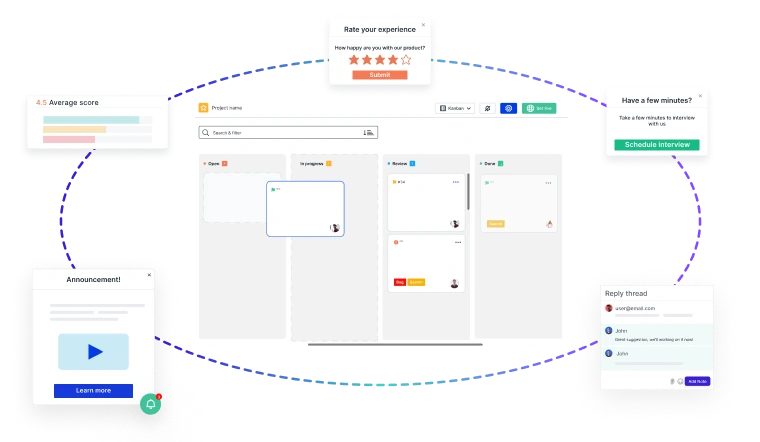
Identify, capture, and resolve issues faster with screen recordings, screenshots, and contextual feedback—seamlessly integrated into your product development lifecycle.
And if you’re ready to try out a visual bug tracking and feedback solution, Usersnap offers a free trial. Sign up today or book a demo with our feedback specialists.
