.svg)
Best Capture for Jira alternative
in 2026
Capture for Jira puts an annotated screenshot on a Jira issue. Usersnap does the same with the browser, OS, and console log attached, collects it from people who never open Jira, and syncs back two-way.
Get started, it’s freeWatch a 2 mins video ⟶Feel the Usersnap difference.png)

Usersnap is trusted by leading teams at
.svg)
.svg)
.svg)
.svg)
.svg)
Usersnap vs Capture for Jira: feedback from everyone, not just Jira users
| Capability | Usersnap | Capture for Jira |
|---|---|---|
| Annotated screenshot on a Jira issue | ✓Yes | ✓Yes |
| Browser, OS and console log attached | ✓Yes | Limited |
| Two-way Jira sync (status flows back) | ✓Yes | ✕No |
| Feedback from users who have no Jira access | ✓Yes | ✕No |
| Also sends to Azure DevOps, Asana, Trello, Slack | ✓Yes | ✕No |
| In-app surveys (NPS, CSAT, CES) | ✓Yes | ✕No |
| Feature board and roadmap | ✓Yes | ✕No |
| AI feedback analysis (auto-categorize, trends) | ✓Yes | ✕No |
| Collaborative exploratory test sessions | Limited | ✓Yes |
| Free to try | ✓Yes | ✓Yes |
A Jira bug reporting tool your whole team can use
Usersnap is a Jira bug reporting tool that lives on your site, not inside Jira. Anyone can report a bug in two clicks, and it lands in Jira with the screenshot, browser, OS, and console log attached.
Is Usersnap a good Capture for Jira alternative?
Capture for Jira (from Zephyr) does one job well: attach an annotated screenshot to a Jira issue. Usersnap captures that same annotated screenshot, plus the browser, OS, and console log, so the bug is reproducible, then keeps going. The same widget runs in-app surveys, NPS and CSAT, and user testing, so bug reports and product feedback land in one place instead of two tools. The Jira sync also runs both ways, so a status change in Jira shows up on the feedback item. If all you need is a screenshot in a ticket, Capture for Jira covers it. If you want the bug and the feedback around it, Usersnap fits better.
Capture for Jira alternative: quick answers
How is Usersnap different from Capture for Jira?
Capture for Jira is built around one action: put an annotated screenshot on a Jira issue. Usersnap captures the same screenshot with the browser, OS, and console log attached, then adds micro-surveys, NPS and CSAT, and user testing on the same install. Both push to Jira. Usersnap also syncs the status back, so the feedback item shows you when the linked issue moves.
Can Usersnap collect surveys and user feedback, not just bug reports like Capture for Jira?
Yes. Capture for Jira stops at visual bug capture. Usersnap runs in-app surveys, NPS, CSAT and CES, and user-testing feedback forms from the same widget, so QA bugs and product feedback sit together instead of in separate tools.
Is Usersnap free?
Usersnap has a free trial, so you can test it on your own site before buying, and you can cancel anytime. One difference worth knowing: Capture for Jira is a per-user Jira add-on, while Usersnap is priced as a standalone feedback platform. You are paying for bug capture, surveys, and user testing together, not a single Jira plugin.
Compare Usersnap with other tools
89%
16,895

.svg)


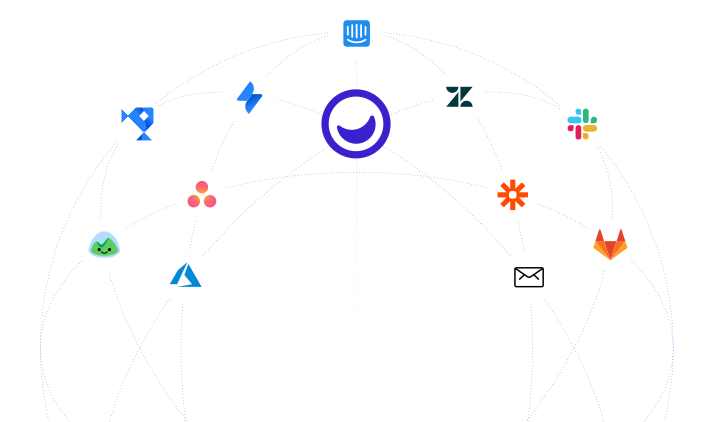
Native integrations with Jira, Azure,
DevOps, Asana, Trello, etc.
From bug report to an aligned decision, and back to your users
Capture for Jira is a nice add-on. But you need a more versatile feedback platform like Usersnap.
- Visual bug reporting within your product
- User testing widgets and validation surveys
- Measure user satisfaction per feature, per segment
- AI-assisted feedback categorization and summary

Features that help developers, engineers,
QA managers, and project managers.

AI feedback analysis
AI sorts incoming feedback into themes and highlights the trends worth acting on.

Feedback-to-roadmap
Turn feedback into a prioritized roadmap, with the customer signal behind each item attached.

Micro-surveys (NPS, CSAT, CES)
Run in-app NPS, CSAT, CES, and custom micro-surveys, no code required.

Visual bug reports
Reports arrive with an annotated screenshot or screen recording, plus the console log and browser details.

Channel data ingestion
Pull feedback and customer calls from the tools you already use into one place.

Announcements & changelog
Close the loop with in-app announcements and a product changelog.

Split-screen triage & Kanban
Review new feedback in a split-screen inbox, or work it on a Kanban board.

Public feedback board
Let users submit, comment, and upvote ideas on a shareable public board.

Customizable widget
Match the feedback widget to your brand with custom colors and fonts.

Developer-friendly
Extend Usersnap with a REST API and webhooks.
.svg)
Connect your stack
30 integrations, with two-way sync for Jira and Azure DevOps.
.svg)
Security & EU data residency
Data is encrypted with 256-bit SSL and stored on GDPR- and ISO 27001-compliant AWS infrastructure in the EU (Frankfurt and Ireland).
.webp)
.svg)



%20(1).webp)


.svg)