

.svg)
Best Pastel alternative in 2026
Pastel is great for commenting on live websites and getting client sign-off. Usersnap does that too, then adds technical bug reports, Jira and Trello sync, surveys, and AI analysis, so client feedback becomes a product decision, not just an approved mockup.
Get started, it’s freeWatch a 2 mins video ⟶Feel the Usersnap difference.png)


.png)

.svg)
.png)
.svg)
Usersnap vs Pastel: from website review to product decisions
| Capability | Usersnap | Pastel |
|---|---|---|
| Visual feedback on websites and web apps (incl. internal) | ✓Yes | Limited |
| Annotate images, designs, PDFs, and video | Limited | ✓Yes |
| Client review and approval workflow | Limited | ✓Yes |
| Customizable in-app feedback widgets (button, menu, popup) | ✓Yes | ✕No |
| Visual bug reports with console + browser data | ✓Yes | ✕No |
| Two-way Jira, Azure DevOps, Asana, Trello sync | ✓Yes | ✕No |
| In-app surveys (NPS, CSAT, CES) | ✓Yes | ✕No |
| AI feedback analysis (auto-categorize, trends) | ✓Yes | Limited |
| Feedback-to-roadmap (Opportunities Board) | ✓Yes | ✕No |
| Announcements / changelog | ✓Yes | ✕No |
| Public feedback board / portal | ✓Yes | ✕No |
| Free to try | ✓Yes | ✓Yes |
Is Usersnap a good Pastel alternative?
Yes, once review notes are not the whole job. Pastel is neat for leaving comments on live web pages during sign-off. But that is where it ends. Usersnap does that annotation and adds bug reports with Jira sync, surveys, NPS, and user testing, so feedback and QA live in one platform instead of a review tool you outgrow.
Pastel alternative: quick answers
What is the difference between Pastel and Usersnap?
Pastel is a web-page review tool: comments and annotations for approvals. Usersnap does that and adds bug reports, surveys, NPS, and user testing. Pastel handles sign-off, Usersnap handles feedback and QA across the build.
Is there a free Pastel alternative?
Lighter review tools exist, but they stay at annotation. Usersnap runs a free trial, and the paid plan adds bug reports, surveys, and testing on top of annotation. You get a platform, not a single feature, and you can try it first.
Can Usersnap collect feedback directly on a live website?
Yes. A feedback widget sits on your site, so people annotate the live page with comments and screenshots. Unlike a pure review tool, that feedback flows straight into bug reports, surveys, and your project tools.
50%
5,365

.svg)


Thousands of customers trust Usersnap, but don’t just take our word for it.
See why Jimmy Rose from Content Snare chose us over Other competitors
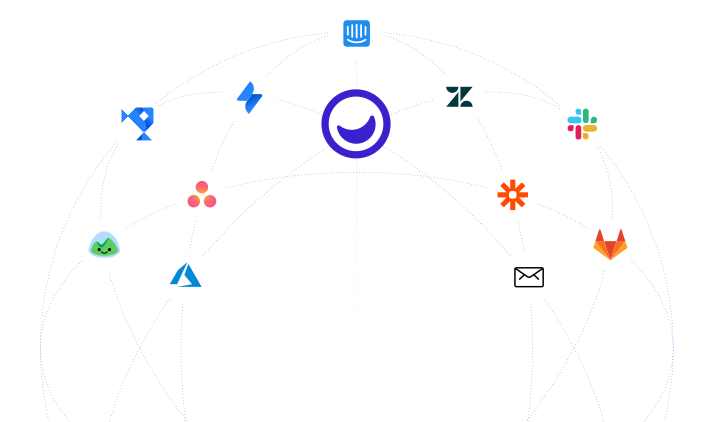
Collecting visual feedback for websites or SaaS with Usersnap ⟶Native integrations with Jira, Azure,
DevOps, Asana, Trello, etc.
Customize your user-centric growth with Usersnap
Most Pastel alternatives are other website-review tools that stop at sign-off. Usersnap keeps going: bug reports with the console data developers need, plus surveys and AI analysis that feed a prioritized roadmap. You get the client review Pastel is known for, and the product-feedback loop it leaves out.
- Visual bug reporting within your product
- User testing widgets and validation surveys
- Measure user satisfaction per feature, per segment
- AI-assisted feedback categorization and summary

Features that help developers, engineers,
QA managers, and project managers.

AI feedback analysis
AI sorts incoming feedback into themes and highlights the trends worth acting on.

Feedback-to-roadmap
Turn feedback into a prioritized roadmap, with the customer signal behind each item attached.

Micro-surveys (NPS, CSAT, CES)
Run in-app NPS, CSAT, CES, and custom micro-surveys, no code required.

Visual bug reports
Reports arrive with an annotated screenshot or screen recording, plus the console log and browser details.

Channel data ingestion
Pull feedback and customer calls from the tools you already use into one place.

Announcements & changelog
Close the loop with in-app announcements and a product changelog.

Split-screen triage & Kanban
Review new feedback in a split-screen inbox, or work it on a Kanban board.

Public feedback board
Let users submit, comment, and upvote ideas on a shareable public board.

Customizable widget
Match the feedback widget to your brand with custom colors and fonts.

Developer-friendly
Extend Usersnap with a REST API and webhooks.
.svg)
Connect your stack
30 integrations, with two-way sync for Jira and Azure DevOps.
.svg)
Security & EU data residency
Data is encrypted with 256-bit SSL and stored on GDPR- and ISO 27001-compliant AWS infrastructure in the EU (Frankfurt and Ireland).
.webp)
.svg)



%20(1).webp)


.svg)


Compare Usersnap with other tools